Free tool · instant checks without signup
Vinted photo checker
Upload a listing photo and get a score out of 100 with concrete fixes. The technical checks run instantly in your browser; the free AI review adds lighting, background and presentation tips.
- Resolution, format, exposure, sharpness, colour
- AI tips in 14 languages
- The score is an estimate, not Vinted’s ranking
Instant checks: unlimited, nothing uploaded · AI review: 3 free a day with Google sign-in
Vinted photo checker
FreeThe instant checks run on your device. Nothing is uploaded unless you ask for the AI review.
Technical score
Instant checks, in your browser
Instant checks
AI review
Free with Google sign-in · 3 reviews a dayLighting, background, framing, how the item is presented and whether this works as your main photo, with prioritised tips.
Something went wrong
Please try again.
The short answer
A strong Vinted main photo is sharp, lit by daylight, shot in portrait, shows the whole item on a plain background and makes the item obvious at thumbnail size. This checker measures the technical side in your browser and, if you sign in, an AI model reviews light, background, framing and presentation and tells you what to fix first.
The score is an AI estimate of photo quality, not Vinted’s ranking: Vinted does not publish how photos affect search. What it does tell you is what a buyer sees in the grid, and that is the part you control. For the full background, read the clothing photo tips guide.
How it works
How does the Vinted photo checker work?
Two layers: instant checks that never leave your device, and an optional AI review for the things pixels alone can’t judge.
01
Upload a listing photo
Drop in the photo you plan to use first on Vinted. JPG, PNG or WebP, straight from your phone.
02
Get the instant checks
Your browser measures resolution, format, exposure, sharpness, colour balance and file size in about a second. Nothing is uploaded.
03
Ask for the AI review
Sign in with Google and an AI model scores lighting, background, framing and presentation, then lists what to fix first. Three free reviews a day.
What we check
What the photo checker looks at
Instant checks in your browser, no signup
Resolution
Flags photos under 800 px on the short side, which look soft when buyers zoom in. Screenshots and digital zoom are the usual cause.
Format
Portrait (4:5 or 3:4) works in both the search grid and the full listing view. Landscape photos lose their sides in search results.
Exposure
Reads the brightness histogram: too dark, clipped whites where the item is, or a flat, hazy look.
Sharpness
Measures fine detail (variance of the Laplacian) in the most detailed parts of the photo, so a plain background doesn’t count against you.
Colour balance
Checks whether the neutral areas (wall, sheet, floor) lean yellow, blue, green or pink: the cast indoor light gives clothes.
File
Spots heavily compressed copies, such as photos saved from a messaging app, that have lost fine detail.
AI review Google sign-in, 3 a day free
Lighting
Even, natural light, no flash glare or harsh shadows, colours true to the item.
Background & clutter
A plain, tidy background with nothing competing with the item.
Framing & crop
The whole item in frame, centred, straight, filling most of the photo.
Garment presentation
Creases, folding, symmetry, and whether it’s worn, on a hanger or a flat lay.
Main-photo fit
Whether this shot should lead the listing, or a different photo should go first.
Plus 3 to 6 tips ordered by impact, in the language you choose.
Example
What a review looks like
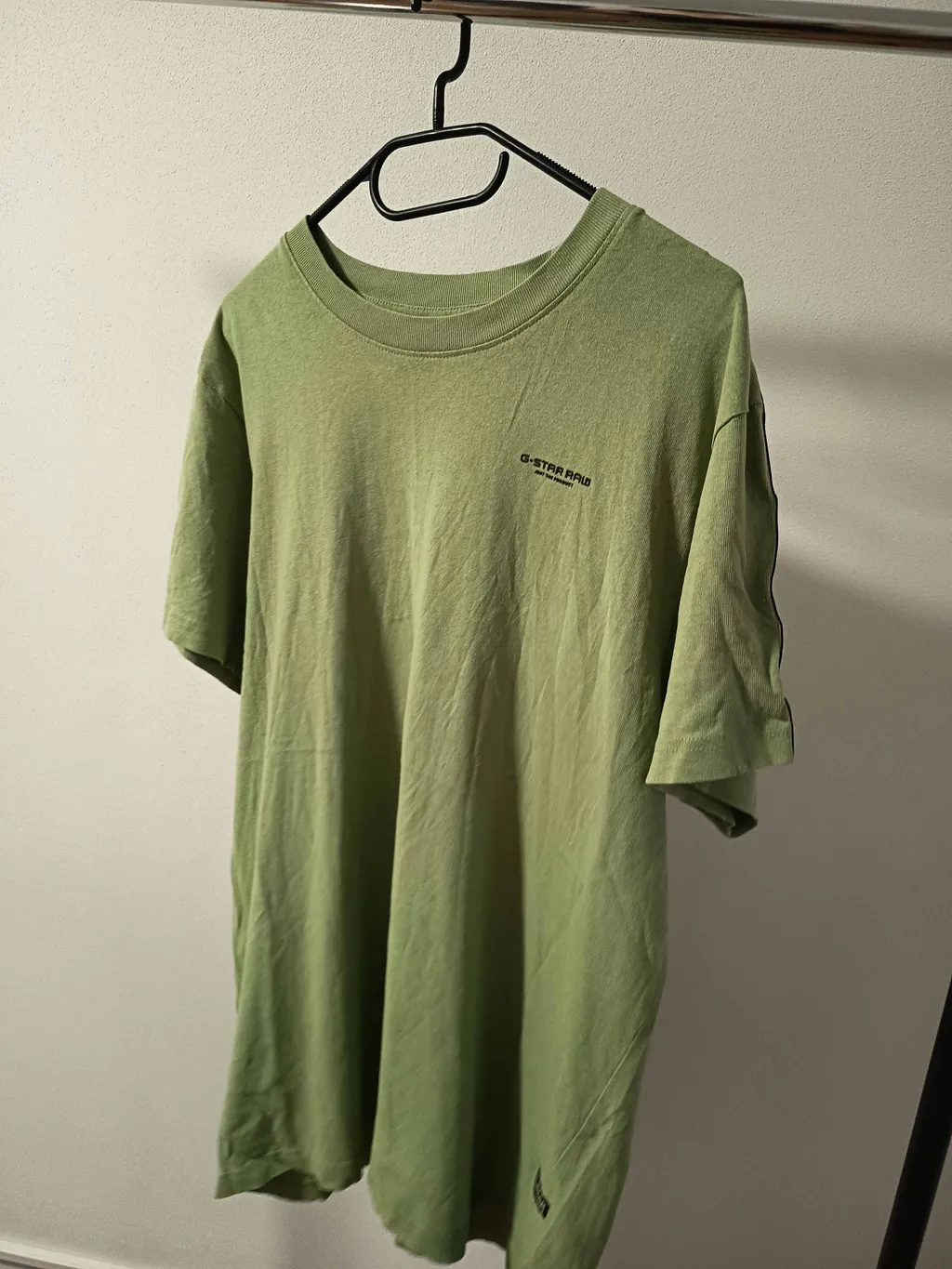
An example review of a typical phone photo: a T-shirt on a hanger, shot indoors. The technical checks pass; the AI review finds what the pixels can’t.
AI photo score
Technical checks: 96/100
Plain background, but the angle, the cut-off hem and the creases make the T-shirt look worn and smaller than it is.
Breakdown On a hanger
- Lighting62
- Background & clutter72
- Framing & crop44
- Garment presentation48
- Main-photo fit55
What to fix first
- 1High
Shoot straight on and step back: the shirt is photographed from the side and the hem is cut off at the bottom.
- 2High
Steam or smooth the creases across the front before you reshoot.
- 3Medium
Use daylight from a window: the indoor light gives the green a yellow tint.
- 4Low
Hang it on a door or plain wall so the rail isn’t in the shot.
Example output for illustration. Real reviews are written by the AI model for your photo, and the score is an estimate, not Vinted’s ranking.
Quick fixes
How to fix the most common photo problems
Most low scores come down to the same six things. None of them needs new equipment.
01
Shoot in daylight
Stand next to a window during the day and switch off the ceiling light and the flash. Mixed light is what turns white walls yellow and greens muddy.
02
Clear the background
A plain wall, a door or a smooth bedsheet. Move everything else out of the frame, including the hanger rail and the laundry basket.
03
Hold the phone upright
Portrait (4:5 or 3:4) keeps the whole item visible in the search grid. Keep a little space around the item so nothing gets cropped.
04
Steam out the creases
Creases read as “worn” at thumbnail size. Two minutes with a steamer, or a hanger in a steamy bathroom, changes how the item looks.
05
Lead with the whole item
Your first photo should show the full item, ideally worn. Labels, fabric close-ups and flaws belong in photos two to eight.
06
Use the original file
Upload the photo from your camera roll, not a screenshot or a copy someone sent you on a messaging app.
More detail, including tips for each item type, in the clothing photo tips guide. Relisting an item that hasn’t sold? Run the photos through the free photo refresher first.
No time to reshoot?
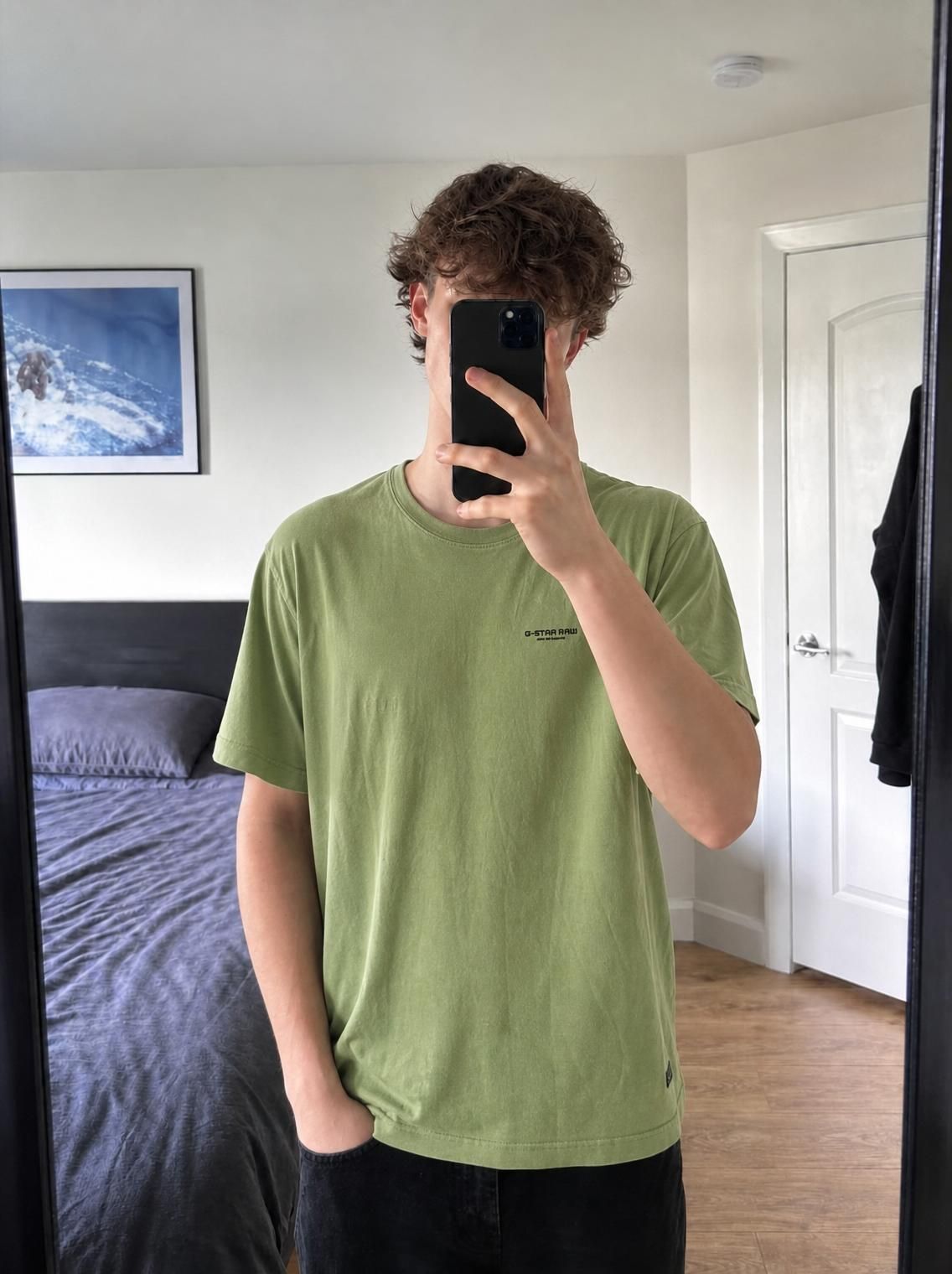
Turn the same photo into a studio or on-model shot.
When the light, the background or the creases are the problem, Vintefy rebuilds the photo for you. Clone mode shows the item worn by a model; Studio mode puts it on a clean background. About 30 seconds per photo.
Monthly plans from €0.17 per photo · cancel anytime
FAQ
Vinted photo checker: questions
Is the Vinted photo checker free?
Yes. The instant checks are free and unlimited, with no sign-up. The AI review is free too: sign in with Google and you get 3 reviews a day. Any Vintefy paid plan raises that to 50 a day.
Is the score the same as Vinted’s ranking?
No. The score is an estimate of photo quality: the instant part is measured from the pixels, and the AI part is a model’s judgement of the photo. Vinted does not publish how photos affect search, and this tool is not connected to Vinted. A higher score means a clearer, better-lit, better-framed photo, which is what buyers see first.
Are my photos uploaded or stored?
The instant checks run entirely in your browser and nothing is uploaded. If you ask for the AI review, a downscaled copy of the photo is sent to our server and passed to the AI model to write the review. We do not store the photo or write it to our logs; it is used only to produce your review.
What is a good score?
80 or more means the photo is in good shape. Between 60 and 80, a fix or two (usually light, creases or framing) will make a visible difference. Under 60, retake the photo before you list: the tips are ordered so the first one has the biggest effect.
What size and format should Vinted photos be?
Shoot in portrait (4:5 or 3:4) with your phone’s main camera and upload the original file. The checker flags photos under 800 px on the short side; any modern phone shoots far more than that, so a low number usually means a screenshot, a crop or a compressed copy.
Why does a photo that looks fine fail the sharpness check?
Slight blur is hard to see on a phone screen but obvious when buyers zoom in. The checker measures fine detail in the sharpest parts of the photo. If it flags blur, tap the screen to focus on the item, hold the phone steady and add light so the shutter is faster.
Does it work for Depop or eBay photos too?
The checks are about photo quality, so the tips apply to any resale app. The format advice (portrait, item centred) is written for Vinted’s grid. Depop and eBay crop thumbnails differently, so check their guides before you reshoot.
Is this tool affiliated with Vinted?
No. Vintefy is an independent tool for people who sell on Vinted and other marketplaces. It is not affiliated with, sponsored by or endorsed by Vinted. The name is used only to describe what the tool is for.
Independent tool for resellers. Not affiliated with, sponsored by, or endorsed by Vinted.
Check your next main photo.
Instant checks in your browser, then a free AI review with the three things to fix first.
Instant checks: unlimited · AI review: 3 free a day